

1. How it works
The Custom integration lets recruiters export talents from Collective to your ATS, individually or in bulk. Collective sends each profile to an endpoint you host. Your endpoint saves the candidate in your ATS and returns their ATS page URL, which Collective uses to open the candidate. You can also provide a jobs endpoint so recruiters can choose a job to associate with the candidate. Your developer can build these endpoints in your ATS or in a service that connects to its API.2. Request activation
Collective activates the integration and configures the URLs manually. Contact
support@collective.work or your account manager. These settings cannot
be edited in the app.
- Organization name and recruiter account email.
- Export URL — required, to receive profiles.
- Jobs URL — optional, to enable job selection.
- Bearer token and ATS logo — optional. The same token authenticates requests to both endpoints.
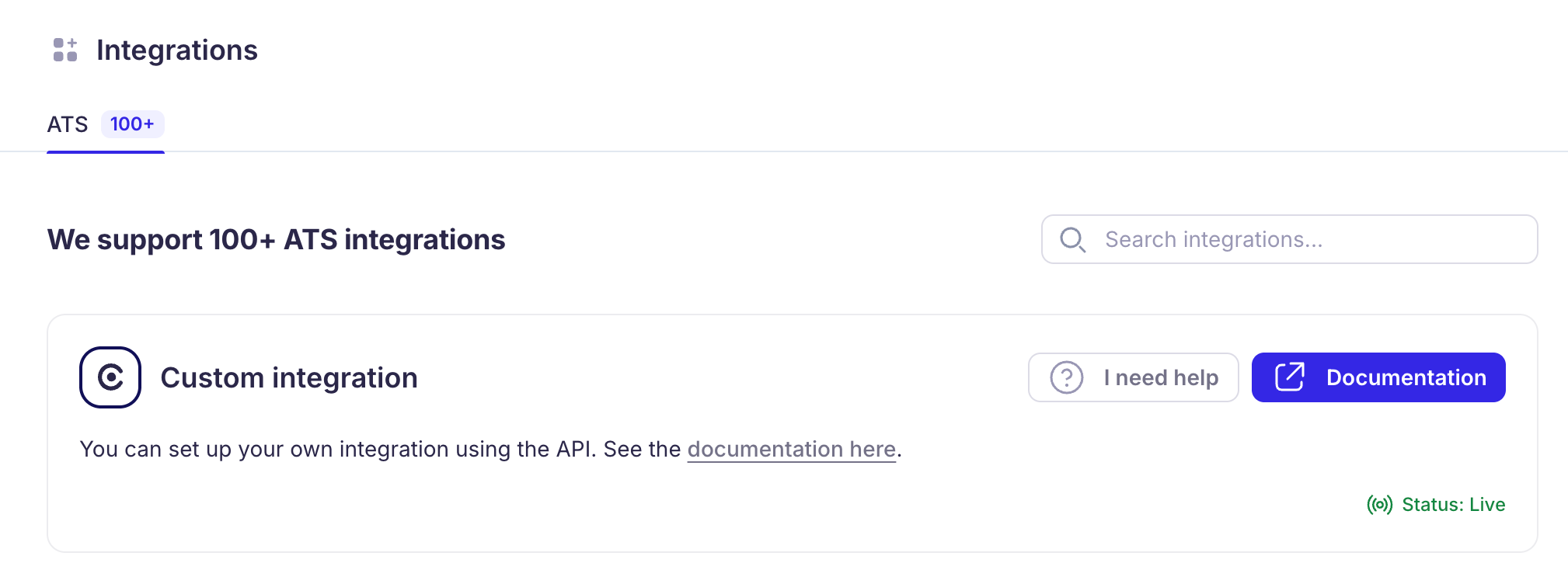
The custom integration after activation.
3. Build the export endpoint
Request from Collective
Choose any URL on your service. The host and/collective/talents path below are examples;
Collective sends requests to the exact full URL you provide during activation. Use a reachable
HTTPS endpoint that accepts POST requests.
Authorization header on requests
to both endpoints. Your endpoints must check the token and reject requests with a missing or
incorrect token, so only callers with your token can access them. If you do not configure a token,
Collective omits this header.
The request body contains:
Example request body:
cv.data from base64 and save it using fileName and contentType.
Allow enough request-body capacity for the attachment. cv is null when absent or unavailable.
Save the candidate and return its URL
Create or update the candidate usingprofile.id as their stable external identifier. If jobId
is specified and is a string, you should associate the candidate with that specified job.
Once saved, respond within 15 seconds with 200 OK or 201 Created,
Content-Type: application/json, and:
4. Optionally enable job selection
Host a second endpoint that acceptsGET requests and lists jobs from your ATS. Its URL is also
your choice: /collective/jobs below is an example. Ask Collective to configure the full URL.
2xx requirement, and no-redirect
behavior as the export endpoint. Return 200 OK with JSON:
id: a stable, nonblank string, at most 512 characters. Convert numeric ATS IDs to strings.name: a nonblank display name, at most 1,024 characters.location: an optional location label, such asParis, FranceorRemote. Collective trims surrounding whitespace. The result must be nonblank and at most 512 characters.createdAt: an optional ISO 8601 timestamp with a timezone, such as2026-11-01T10:00:00.000Zor2026-11-01T11:00:00+01:00. Use the job’s posting date, or its creation date if no posting date is available. A date alone or a timestamp without a timezone is invalid.
location and createdAt or set either to null. Existing responses with only id
and name remain valid. When provided, the location and date appear below the job name in search
results and in the selected job card.
Return {"jobs": []} when no jobs are available. Any invalid entry rejects the whole list,
including a blank or overlong location or an invalid timestamp. Omit unavailable metadata or use
null instead of an empty string.
Return the complete list to display. Collective loads it when the recruiter focuses Job (optional)
and searches it locally, without requesting additional pages or sending search text to your service.
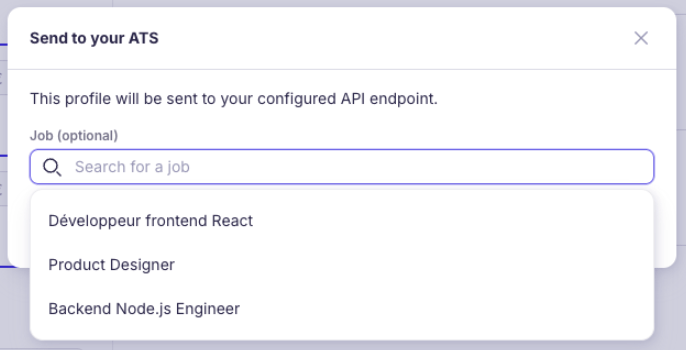
Recruiters can search for a job before sending a talent.
id becomes the export’s jobId; your export endpoint creates the job association.
If no jobs URL is configured, the selector is hidden. An empty or cleared selection sends jobId: null.
If jobs fail to load, recruiters can click Try again or export without a job.
5. Export talents
One talent
- Click the talent’s ATS button to open Send to your ATS.
- Optionally choose a job, then click Send.
- On success, Collective opens the returned ATS page. Future clicks on the ATS button open that saved page.
Several talents
Select talents, click Export, choose ATS as the export type, and optionally select a job. Collective sends one request per talent, with the same selectedjobId for the entire export.
You can also use this flow to send an already exported talent to another job.
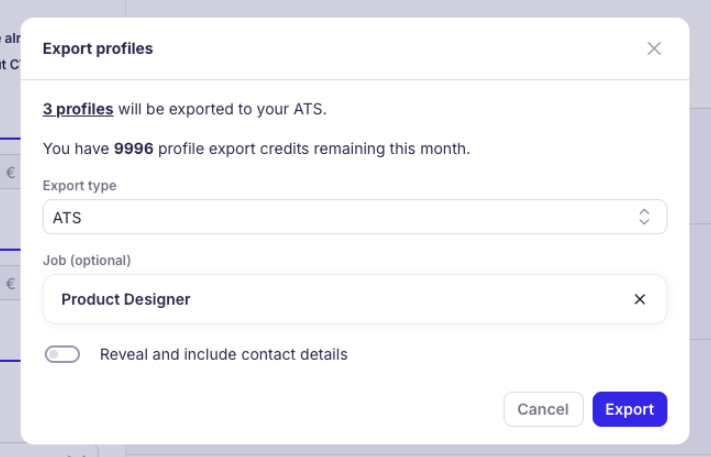
Bulk export with an optional job selected.
6. Timeouts and retries
The 15-second limit applies to each request to your endpoints, not the whole export operation: Collective prepares the profile and CV before sending it. A timeout or lost response can happen after your ATS has saved the candidate. Make repeated requests safe, including simultaneous deliveries:- Deduplicate candidates by
profile.idand return the existing candidate URL. - Deduplicate job associations by
(profile.id, jobId), while allowing the same candidate to be associated with another job.
For
429, set Retry-After to positive seconds (for example, 30) or a future HTTP date. Missing
or unusable values fall back to 15 seconds. Bulk retries keep the selected jobId; rate-limit
delays and repeated exports can cause more than five deliveries.
Before going live, test exports with and without a job or CV, repeated requests, a timeout, an
invalid response, unavailable jobs, and bulk retries. Confirm that candidates and job associations
are saved correctly without duplicates.